
Historical workflow
The recovered instructions below explain the former PhoneGap workflow. PhoneGap Build is closed, and old account, upload and signing operations no longer run on the hosted service. PhoneGap Build archive.
Generating a private key
Open the command prompt (cmd.exe) as an Administrator, then Run the following command:
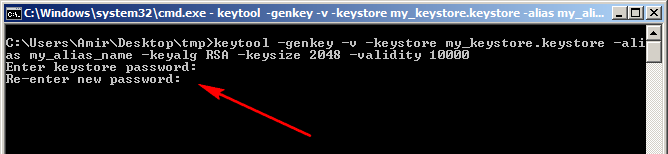
$ keytool -genkey -v -keystore [keystore_name].keystore -alias [alias_name] -keyalg RSA -keysize 2048 -validity 10000Keytool will ask for keystore password. Enter password and confirm:
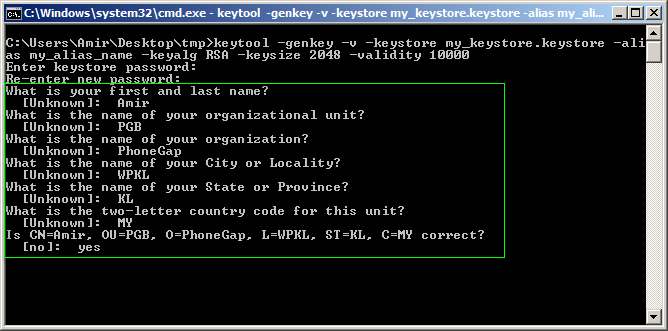
- Next, keytool will ask for additional information. Supply appropriately:
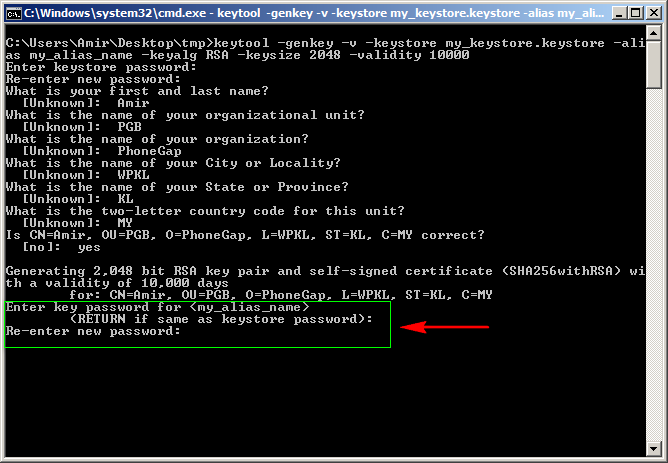
- Next, keytool will ask password for Alias. Return if it's the same as keystore password. Othewise enter password and confirm:
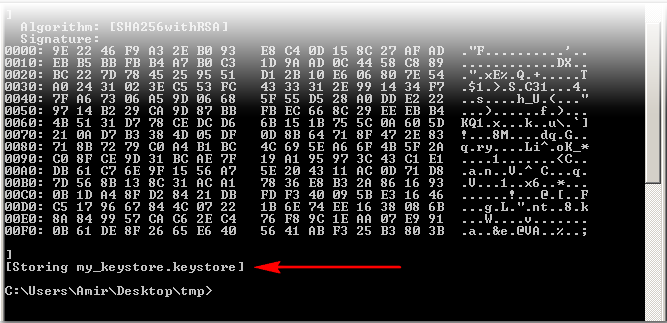
- Your signing key is now ready to submit:
Submitting your key to Build
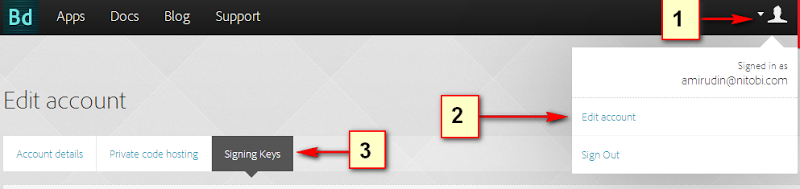
Go to your Account > Edit Setting > Signing Key's tab.
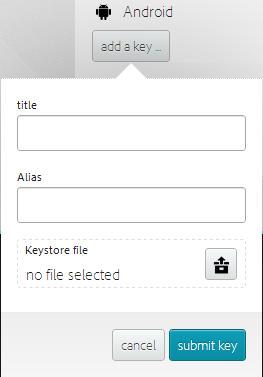
Click 'add a key...', ensuring you use the same alias used when you generated your key.
Unlocking your key
Go to your Account > Edit Setting > Signing Key's tab:
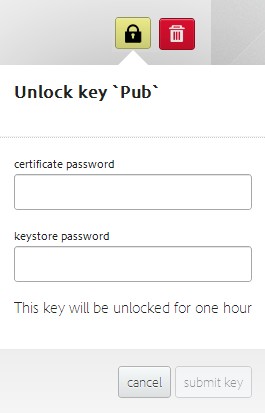
Click unlock button and supply the the certificate password (from step #6 above) and the keystore password (from step #4 above)
Lastly, either set your key to be default using the checkbox in the keys list, or in your individual application's details, select the key you've uploaded and unlocked.
Sources & archive notes
Recovered repository material is attributed to its original authors and distributed with its source license. Changes: FreeSoft layout, archive context, navigation, link and image locations. Apache License 2.0 · Notices and provenance. Editorial material is labeled separately.